|
| |
Description
Creating computer slide shows is very easy with MySlideShow. This
simple and straightforward software application offers its users a
comprehensive toolkit for making bright, memorable and esthetically
pleasing slide shows and photo albums. The program is quite
elementary - select pictures, indicate the desired sequence (or
choose random order), apply special transition effects, and you get
a professionally looking slide show with one button click.
Conveniently, photo albums, thumbnail web galleries, screensavers,
video CDs and DVDs can be created with the same program!
MySlideShow is jam-packed with helpful features, meaning you will
never have to buy any additional software. For example, MySlideShow
is capable of adding and editing slide captions (it's possible to
use EXIF and IPTC tags), changing picture
orientation, synchronizing slide shows with music and sound effects.
All options can be applied to individual images or entire sets of
pictures; the slide show can go on in automatic and manual modes,
making it possible to use MySlideShow for creating presentations.
Your slide show can have a playlist synchronized with slides, an
independent background playlist and slide-specific playlists. You
can add background music and narration/voice-over audio files.
The Slide Editor in the MySlideShow Gold allows you to place
additional text boxes, web links, small images, Flash animations and
video clips on slides.
Importantly, the program is capable of packing slide shows into
standalone executable and screensaver files (.exe and .scr
respectively), thus making it very easy to distribute them. The
Video Generator plug-in allows you to burn VCD, SVCD, DVD video
discs and create VCD, SVCD, DVD, WMV and DivX video files from your
slide show projects. These features are just a small fraction of
what the software has to offer its buyers. And best of all, anyone
can try MySlideShow free of charge.
The program offers unique features for photographers who want to
distribute their executable slide show files to end users. You can
create trial slide shows which expire after N days, X tries or on a
specific date. Then your customers can order the fully-functional
slide show and/or unlock the trial slide show with a password you
send.
Registered users can distribute MySlideShow presentations (slide
shows, albums, web galleries or video files) for free. No royalty
fee is required. The Business License is required if you want to
create and distribute MySlideShow presentations for commercial
purposes.
Features
- Has a
convenient user interface (similar to Windows
Explorer) for adding image files to your slide show from
your image folders.
- Shows selected images and slides in preview and
full screen modes.
- Shows slides as thumbnails, which makes it easier
to change their sequence or sort them.
- Allows you to customize various
slide
settings.
- Allows you to add and edit the slide Captions
(you can use EXIF and IPTC tags there).
- Allows you to rotate your images to the position you
want without an image editor.
- Allows you to change the settings either for the whole
slide show or for individual slides.
- Allows you to synchronize slides with music.
- Allows you to allocate slides in your own transition
points on the timeline of the special Sync Playlist using the
Timeline Editor (only in Gold version).
- Allows you to place text, small images, web links, video
clips and Flash animations on slides using the
Slide Editor (only in Gold version).
- Offers Manual and Automatic slide show
modes.
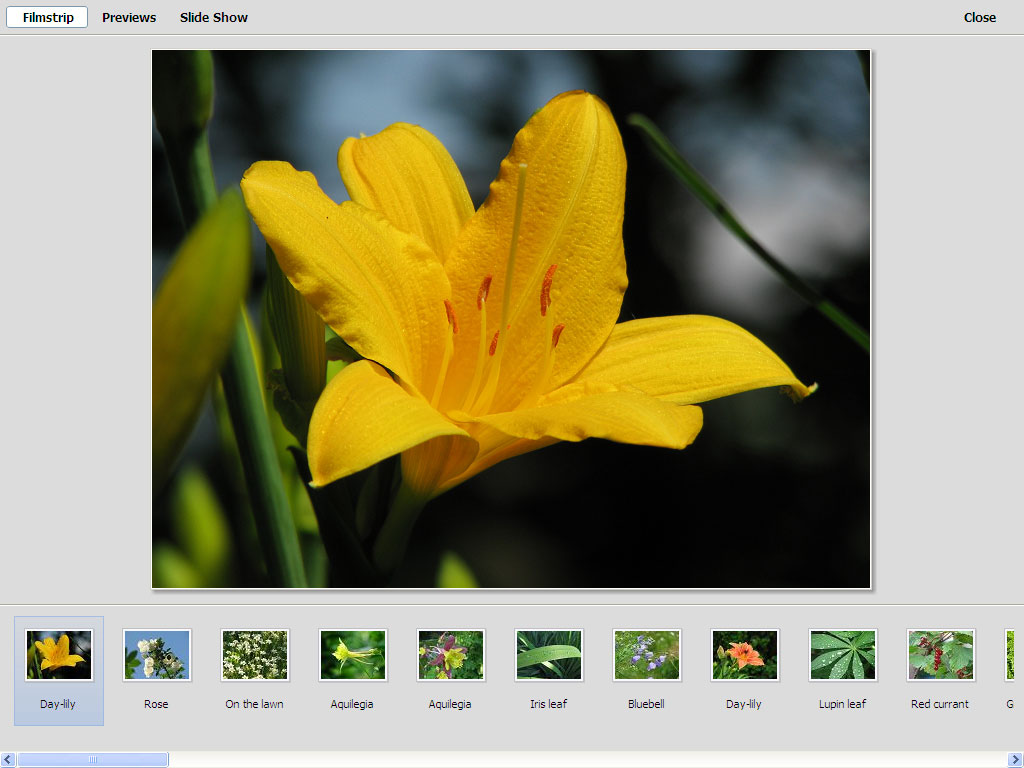
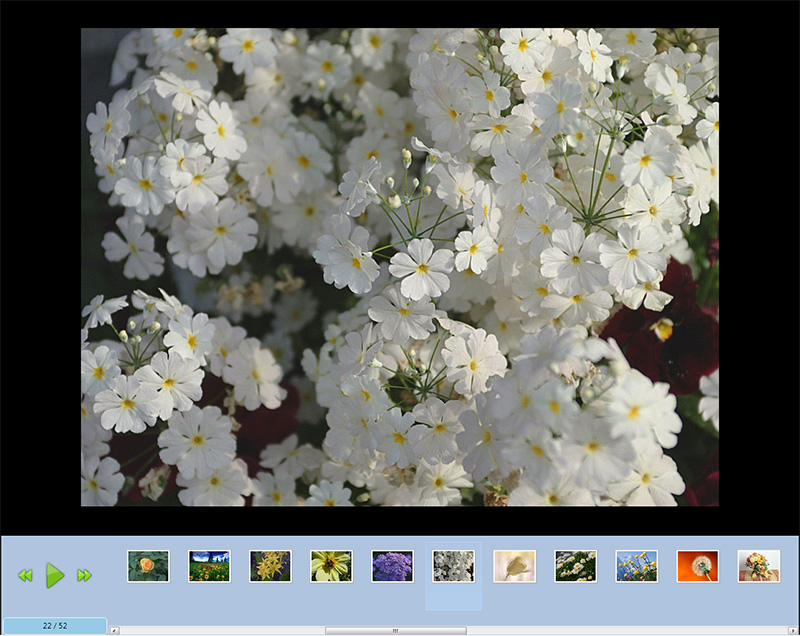
- Offers special Start Screen option allowing you
to view your photos as Previews or
Filmstrip.
- Saves slide show projects in special text format that
allows you to play and edit them later on.
- Has font and color settings for the slide
captions.
- Has font and color settings for the image information
text.
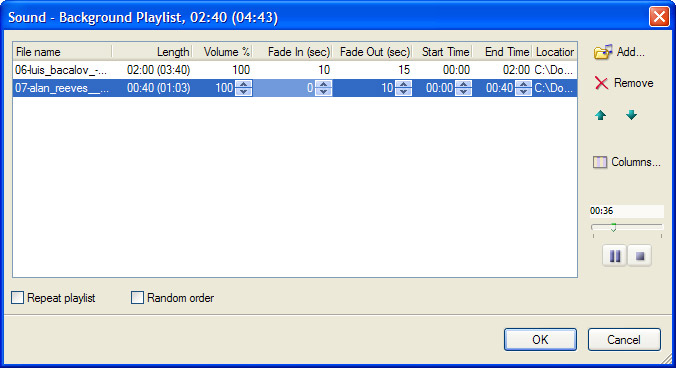
- Plays background music during whole slide show
from a
special play list. Each track in the playlist can be
customized with the Start Time, End Time,
Fade In and Fade Out options.
- Plays narration or voice-over audio files (can be used
together with background music).
- Supports
Transition Effects.
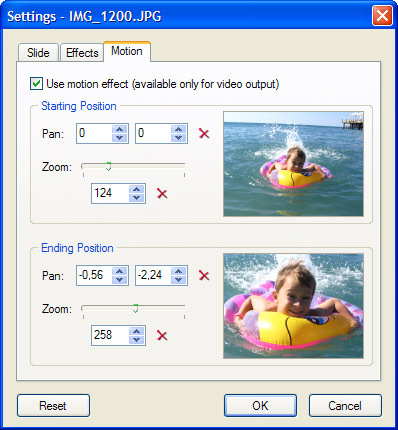
- Supports
Motion (Pan and Zoom) Effects for output video files
(only in Gold version).
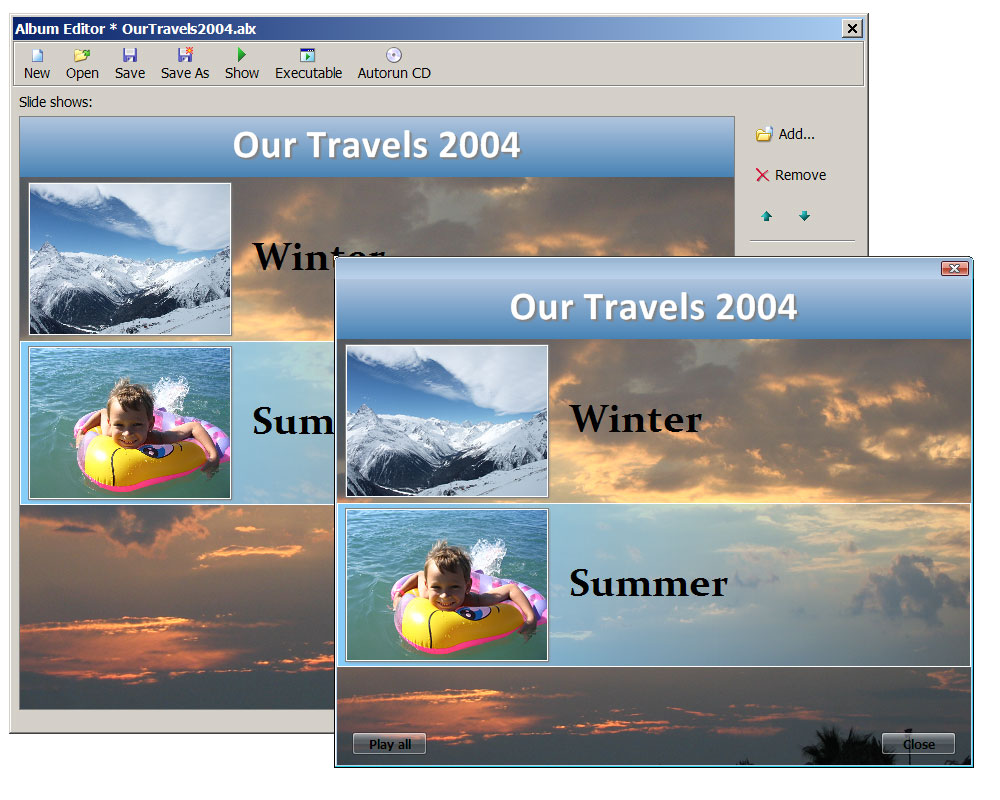
- Allows you to collect several executable slide shows
into an
Album.
- Creates output slide shows as standalone executable
(.exe) files or screen savers.
- Creates output slide shows as video files and
burns video CDs and DVDs.
- Generates HTML pages with thumbnails (web
galleries) for publishing on the web.
- Can display a
thumbnail/navigation panel during the slide show.
- Supports multi-monitor systems: slide show and
thumbnail/navigation panel can be displayed on different
monitors (for example, on the notebook screen and a
projector if you make a presentation).
Standard and Gold editions
MySlideShow is available in the Standard and Gold editions. The
following table displays main features and differences between
MySlideShow and MySlideShow Gold.
| Features |
MySlideShow |
MySlideShow Gold |
| Automatic synchronization with audio |
X |
X |
| Custom synchronization with audio (Timeline Editor) |
|
X |
| Slide show and individual slide settings |
X |
X |
| Filmstrip and Previews screens (Start Screen) |
X |
X |
| Transition Effects |
X |
X |
| Motion (Pan & Zoom) Effects for output video files |
|
X |
| Background playlist with Volume, Start Time, End Time, Fade In and Fade Out options for each track |
X |
X |
| Ability to place additional text boxes, images and video clips on slides (Slide Editor) |
|
X |
| Ability to create video files and burn VCD and SVCD discs and create VCD, SVCD, DVD and WMV video files (Video Generator plug-in) |
X |
X |
System requirements:
- Windows XP/Vista/7 .
- ~ 8-16 MB free disk space.
- Internet Explorer 7.0 or higher for creating web
galleries.
What users are saying
Just a note to compliment you on creating the best and most complete slide
show software on the market.
I am a professional entertainer who includes movie trivia and more in my karaoke
shows as well as trivia games on DVDs that I do at children's parties. I
have tried every slide program available from those requiring special viewers to
those that produce flash slide shows. However, I have never found one as
complete and well written as yours.
You have definitely covered all bases and I just want to say thanks for a great
product.
Steve @ In Touch Creations, Inc.
|
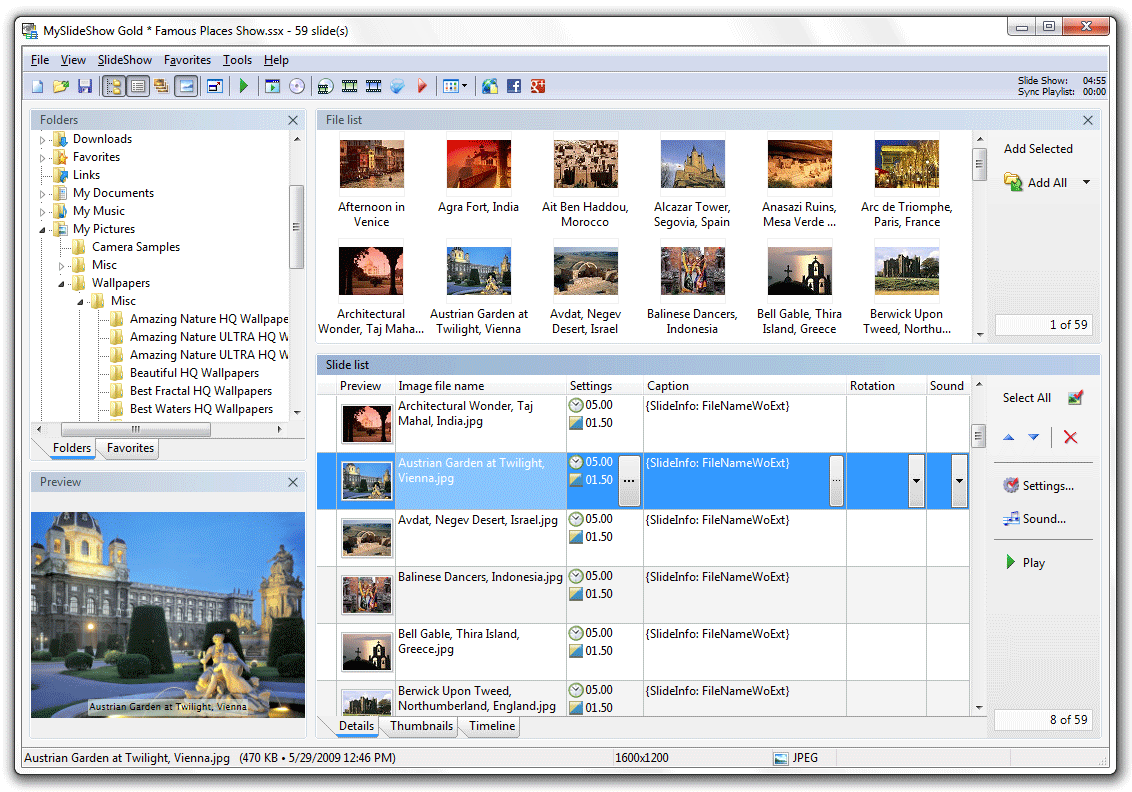
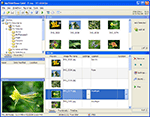 Main window is similar to Windows Explorer. Contains folder,
file and slide lists and preview panel.
Main window is similar to Windows Explorer. Contains folder,
file and slide lists and preview panel.
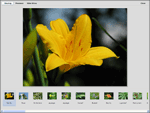 Start Screen option displays slide images as Filmstrip and Previews.
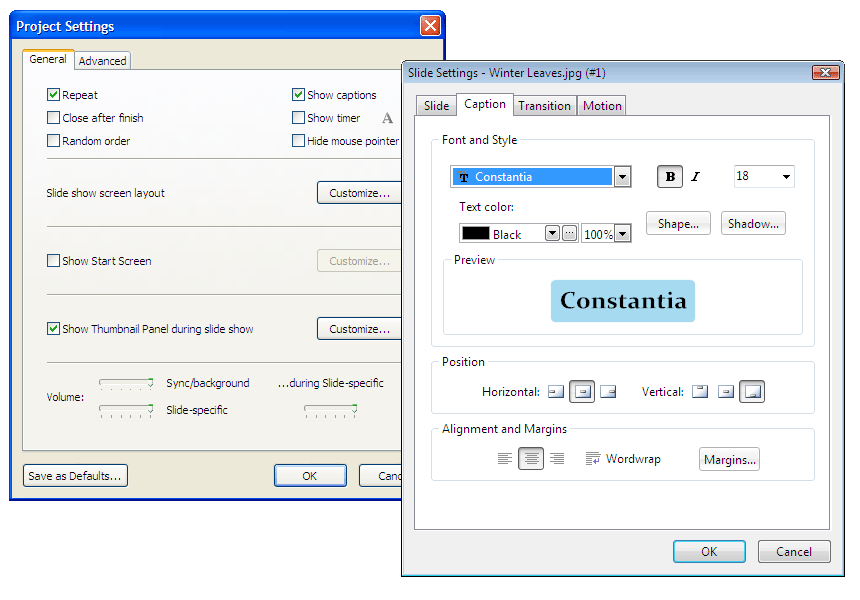
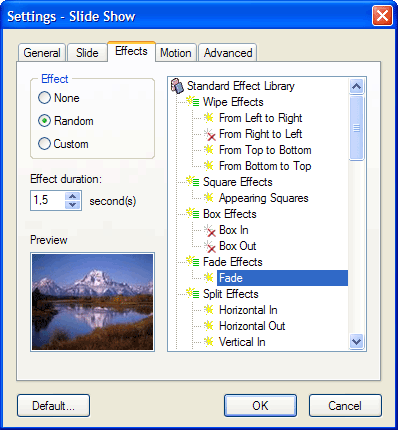
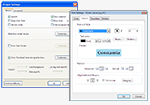 Project and Slide Settings windows.
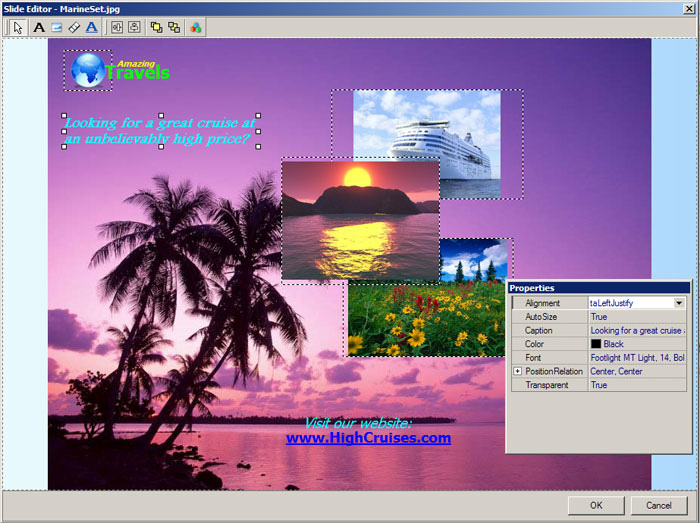
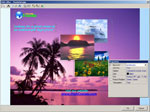 Slide Editor allows you to add small images, text boxes and web links.
|
Slide Editor
Slide Editor allows you to place text boxes, web links, small
images, video clips (AVI, MPEG-2, MPEG-4, WMV) and Flash/SWF animations on
slides. For text boxes you can change color, font, background
transparency and other properties. Semi-transparent PNG images can
be used for logotypes. Slide elements inserted by Logo Editor will
be visible on each slide in your slide show project.
Screenshot »
Slide Editor is included in MySlideShow Gold.
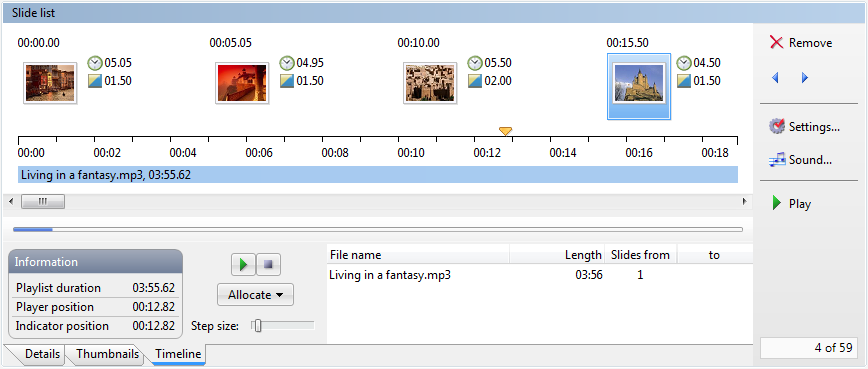
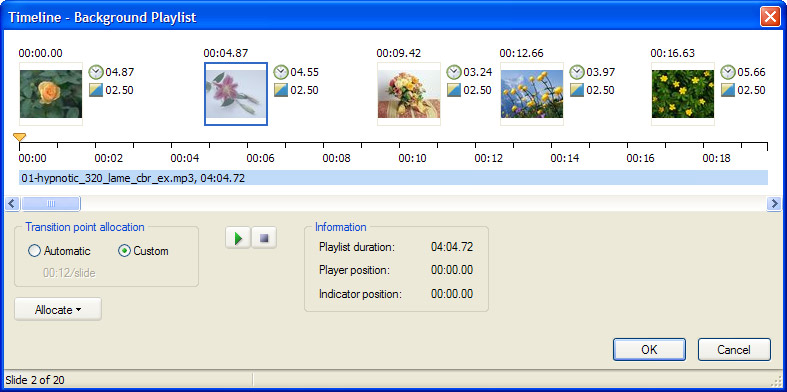
Timeline Editor
Timeline Editor shows the timeline of your background playlist and
allows you to allocate slides in custom transition points. You can
select a slide or a group of slides and drag them on the timeline.
It's possible to select a part of the timeline (for example, an
audio track) and allocate a group of slides at even intervals on
this part.
Screenshot »
Timeline Editor is included in MySlideShow Gold.
Video Generator plug-in and DVD Album utility
This plug-in allows you to burn VCD, SVCD, DVD video discs and
create VCD, SVCD, DVD, MPEG-2, MPEG-4 and WMV video files from your
slide show projects. The plug-in
appears as "Video CD/DVD" and "Video" items in the Tools menu.
Download »
The plug-in is free for registered users of MySlideShow v3.x.
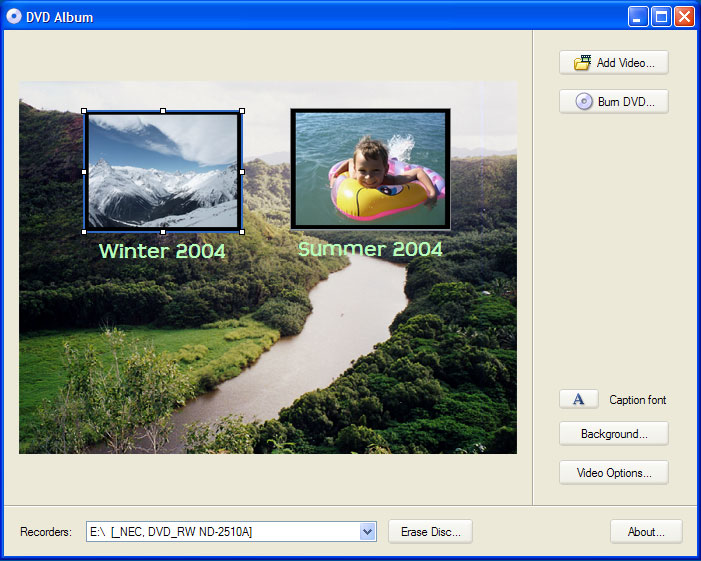
The DVD Album utility allows you to import several DVD .mpg video
files created by MySlideShow's Tools | Video menu, create a simple
menu and burn a DVD video disc or save DVD disc files to the hard
drive. The utility is free.
Screenshot »
Download »
EXIF Inspector
The plug-in displays EXIF and IPTC information placed into JPEG
files by digital photo cameras and image processing software. You
can import separate EXIF and IPTC properties (for example image
description, image date/time) to the caption field of your slides,
fix slide rotation field depending on EXIF Orientation values, sort
your photos by the date/time taken. The plug-in works with
MySlideShow v2.1.2 or higher and appears as an item in the Tools
menu.
Download »
Print Thumbnails
The Print Thumbnails plug-in can print your slide list as a
thumbnail table or a contact sheet. You can change different
settings: thumbnail size, margins, number of rows and columns. The
plug-in displays your slide list in the preview mode, can print
slide captions, page header and footer.
Silverlight Gallery and Flash Gallery plug-ins
The plug-ins create a web slide show with music from your slide show
project.
Then you can upload the output folder (containing HTML page, images and music files)
to your website and send the link to your friends or partners.
More »
Download »
The plug-ins are free for registered users of MySlideShow v3.x.
Upgrading
-
Upgrade from one of the previous v3.x to the latest v3.x
Just install the latest version over your current one.
-
Upgrade from v2.x to v3.
There is no need to uninstall MySlideShow
v2.x. By default,
MySlideShow v3 installs in a separate folder and adds a new
icon on the desktop.
If you'd like to buy an upgrade, please click
here.
Updated: November 20 2012
|

 MySlideShow