Latest News
December 20, 2013 -
MySlideShow Gold v3.6.0.249 contains web gallery fixes for Internet Exploror 11. Download link.
July 16, 2012 -
MySlideShow Gold v3.6.0 has been released. Its new slide show engine plays the motion (pan and zoom) effects. Read more.
April 16, 2012 -
The Glider plug-in is a slide show player that supports the motion or pan & zoom effects.
After installing it's accessible as the Tools | Glider menu or toolbar button.
You can download the plug-in from the Download page.
January 18, 2012 -
MySlideShow v3.5.5 is available.
June 5, 2011 -
This article may help you understand different slide settings
and explains how to change them for a group or all your slides.
Read
more about the slide settings.
April 6, 2011 -
MySlideShow v3.4.3. Output web galleries can be viewed in Internet Explorer 9.
November 5, 2010 -
MySlideShow v3.4 has been released. This version has a new slide previewer and
the Search & Fix tool that fixes broken links in your projects. Read more.
February 4, 2010 -
MySlideShow v3.3.4 has been released. Minor fixes and
cosmetic changes mostly.
January 4, 2010 -
The Silverlight Gallery plug-in now supports the
SlideShow and
PhotoTable templates. The
Video Codec Pack for MySlideShow Gold supports .mov movie/video
clips recorded by modern Canon photo cameras.
October 7, 2009 -
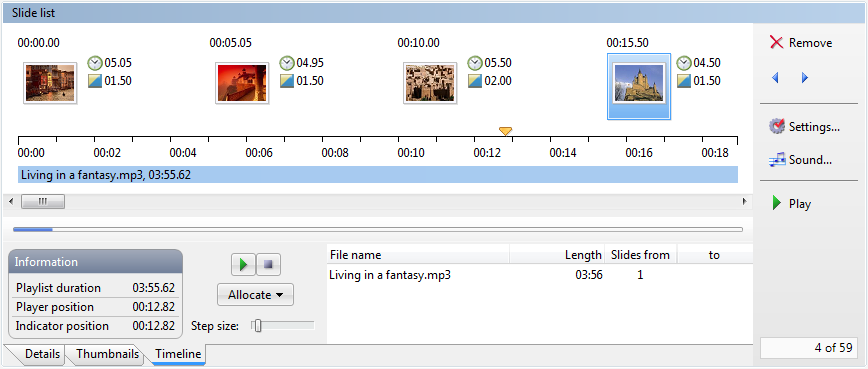
MySlideShow v3.3.2. The Timeline view of the Slide List
now displays the Sync playlist that helps you synchronize groups
of slides with audio tracks.
June 18, 2009 -
Silverlight Gallery plug-in for MySlideShow is available.
This plug-in is a good replacement for HTML web galleries. Read more about
web slideshows with music.
April 15, 2009 -
MySlideShow v3.3 has been released. You should install a
separate Video Codec Pack to use embedded video clips in your
slide shows. Read more.
September 10, 2008 -
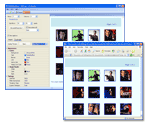
MySlideShow v3.1.0. The web gallery feature has been redesigned. Now the web galleries (the Tools | Web Gallery menu) have templates
(HTML and JavaScript code) and styles (CSS styles and button/background
images). The current version contains one template (slide show with a thumbnail panel) and three styles.
Read more about web galleries.
June 24, 2008 -
MySlideShow v3.0.2. The
Volume sliders are moved from the Project Settings window |
General tab to a separate window. The Sync and Background Playlists now have their own volume sliders.
May 10, 2008 -
MySlideShow v3.0.1. This update allows you to select the
monitors where you want to play slide shows and place the
thumbnail/navigation panel. For example, you can play your slide
show using a projector and place the floating
thumbnail/navigation panel on the laptop screen.
April 16, 2008 -
MySlideShow v3.0. We are pleased to announce that we have released MySlideShow
v3.
In addition to the Details view, this version contains the Thumbnails and Timeline views on the main screen.
You can use semi-transparent colors and shadows for captions,
display a thumbnail panel during the slide show and add silence
intervals to the playlists.
To open the revision history page,
click here.
October 4, 2007 -
Flash Gallery plug-in for MySlideShow.
This plug-in can create a Flash web gallery from your slide show project. Then you can upload the output folder
(containing HTML page, SWF files, images and a music file) to your website. After installation
the plug-in is accessible from MySlideShow's Tools | Flash Gallery menu. Download.
March 3, 2006 -
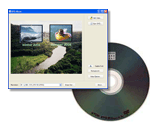
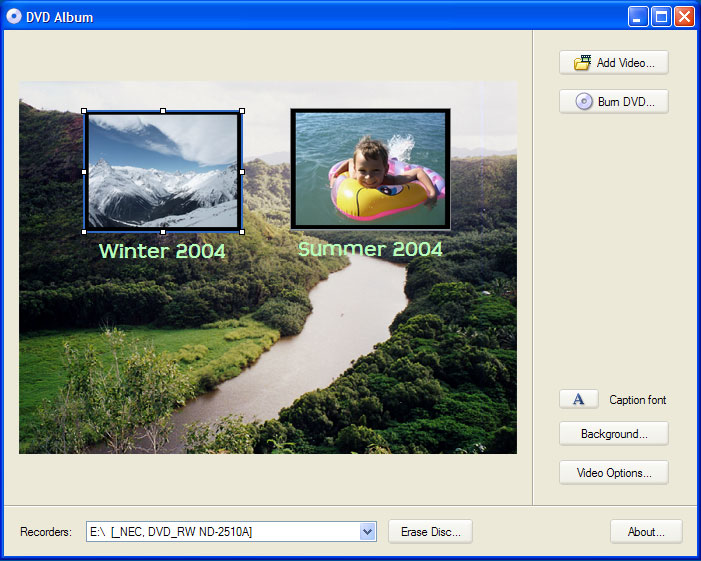
DVD Album v1.0
released. This free utility allows you to add several DVD .mpg video files
(created by MySlideShow), create a simple menu (change menu thumbnails and
captions, select the background picture) and then burn a video DVD.
July 14, 2005 -
MySlideShow v2.5. We are pleased to announce
that we have released MySlideShow 2.5. Since this version the product is
available in two editions: MySlideShow and MySlideShow Gold. The Gold edition
includes the Slide Editor add-in and a new Timeline Editor that allows you to
define custom slide transition points on the background playlist timeline.
News archive »

 MySlideShow